
When I was growing up, having a bank card felt like something only adults carried. Today, many kids and teens are learning how to manage money much earlier, and I think that’s a great opportunity to build healthy financial habits from the start.
The challenge is figuring out which debit card is actually worth getting. Some are designed to teach budgeting and saving, others reward kids for completing chores, and a few even introduce investing in a way that’s easy to understand.
I spent time comparing the most popular debit cards for kids and teens to see which ones offer the best features for families. Whether you’re looking for a first debit card for your child or a smarter way to teach money management, these are the options I think are genuinely worth considering.
If I Were Starting Today
If you’re not sure which debit card is right for your child, here’s what I’d recommend:
- Want the best all-around option? → Greenlight
- Want to teach saving, spending, and investing? → BusyKid
- Looking for a great debit card for a teenager? → Step
- Already bank with Chase? → Chase First Banking
- Need a card for multiple kids? → FamZoo
- Want a free option for older teens? → Current
- Focused on helping your child build long-term wealth? → Acorns Early 🌱
Quick Comparison
| Debit Card | Best For | Recommended Age | Monthly Fee | Parent Controls | Investing | Chore Tracking | Cashback | My Rating |
|---|---|---|---|---|---|---|---|---|
| Greenlight | Overall Best | 6+ | ✅ Paid | ⭐⭐⭐⭐⭐ | ✅ Yes | ✅ Yes | ❌ No | ⭐⭐⭐⭐⭐ |
| BusyKid | Learning About Money | 5+ | ✅ Paid | ⭐⭐⭐⭐☆ | ✅ Yes | ✅ Yes | ❌ No | ⭐⭐⭐⭐⭐ |
| Step | Teenagers | 13+ | ✅ Free | ⭐⭐⭐☆☆ | ❌ No | ❌ No | ✅ Rewards | ⭐⭐⭐⭐☆ |
| Current | Older Teens | 13+ | ✅ Free | ⭐⭐⭐⭐☆ | ❌ No | ❌ No | ✅ Rewards | ⭐⭐⭐⭐☆ |
| FamZoo | Families With Multiple Kids | 8+ | ✅ Paid | ⭐⭐⭐⭐⭐ | ❌ No | ✅ Yes | ❌ No | ⭐⭐⭐⭐☆ |
| Chase First Banking | Chase Customers | 6–17 | ✅ Free | ⭐⭐⭐⭐☆ | ❌ No | ✅ Yes | ❌ No | ⭐⭐⭐⭐☆ |
| Acorns Early | Long-Term Investing | All Ages | ✅ Paid | ⭐⭐⭐⭐☆ | ✅ Yes | ❌ No | ❌ No | ⭐⭐⭐⭐☆ |
My Tip: If your goal is simply teaching your child how to spend and save money, almost any card on this list will work. If you also want to teach investing, earning through chores, or budgeting, look for those features in the comparison above.
How I Chose These Debit Cards For My Kids
When comparing debit cards for kids and teens, I focused on the features that matter most to families—not just flashy extras.
Here’s what I looked for:
- Easy-to-use app for both parents and kids
- Strong parental controls and spending limits
- Tools for teaching saving, budgeting, and responsible spending
- Chore and allowance management
- Low (or no) monthly fees
- Age-appropriate features that grow with your child
- Good value and overall user experience
Every family has different goals. Some parents simply want a safe first debit card, while others want to teach budgeting, saving, investing, or earning money through chores. This list includes options for all of those needs.
What Age Should a Child Get Their First Debit Card?
There’s no perfect age—it really depends on your child’s maturity and how interested they are in learning about money.
Many debit cards on this list are designed for children as young as 6, while others are better suited for teenagers who are earning allowance, babysitting, or working a part-time job.
In my opinion, the best time to introduce a debit card is when your child is ready to make small spending decisions and can begin learning how to save, budget, and use money responsibly. With the right parental controls, a debit card can be a safe, hands-on way to teach real-life financial skills before they’re managing money on their own.
1. Greenlight
⭐⭐⭐⭐⭐ Best Overall for Families
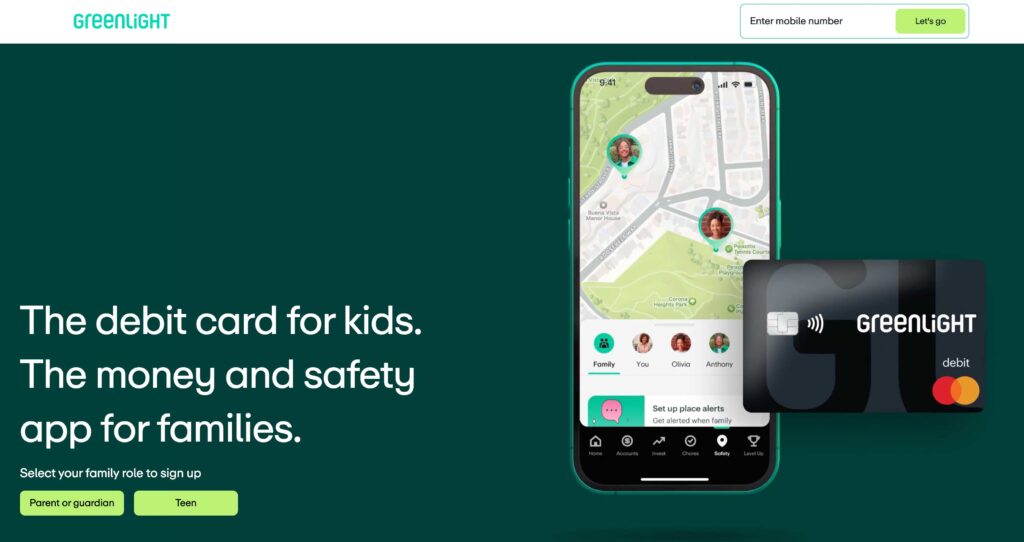
A feature-packed debit card and money app that helps kids learn to earn, save, spend, and invest—all with easy-to-use parental controls.
| What I Liked | What I Didn’t Like |
|---|---|
| Excellent parental controls | Monthly subscription required |
| Chore and allowance management | No free plan |
| Savings and investing features | Some features may be more than younger kids need |
| Real-time spending notifications |
Why I Recommend It
If I were choosing just one debit card for most families, Greenlight would be my top pick.
It goes beyond simply giving your child a debit card. Parents can set spending limits, assign chores, automate allowance, create savings goals, and even introduce investing when the time feels right. I also like that kids get hands-on experience managing real money while parents can monitor everything through the app.
As your child grows, Greenlight grows with them, making it a great long-term option for teaching healthy money habits.
Price: Paid monthly subscription with multiple plan options.
2. BusyKid
⭐⭐⭐⭐⭐ Best for Teaching Saving, Spending & Investing
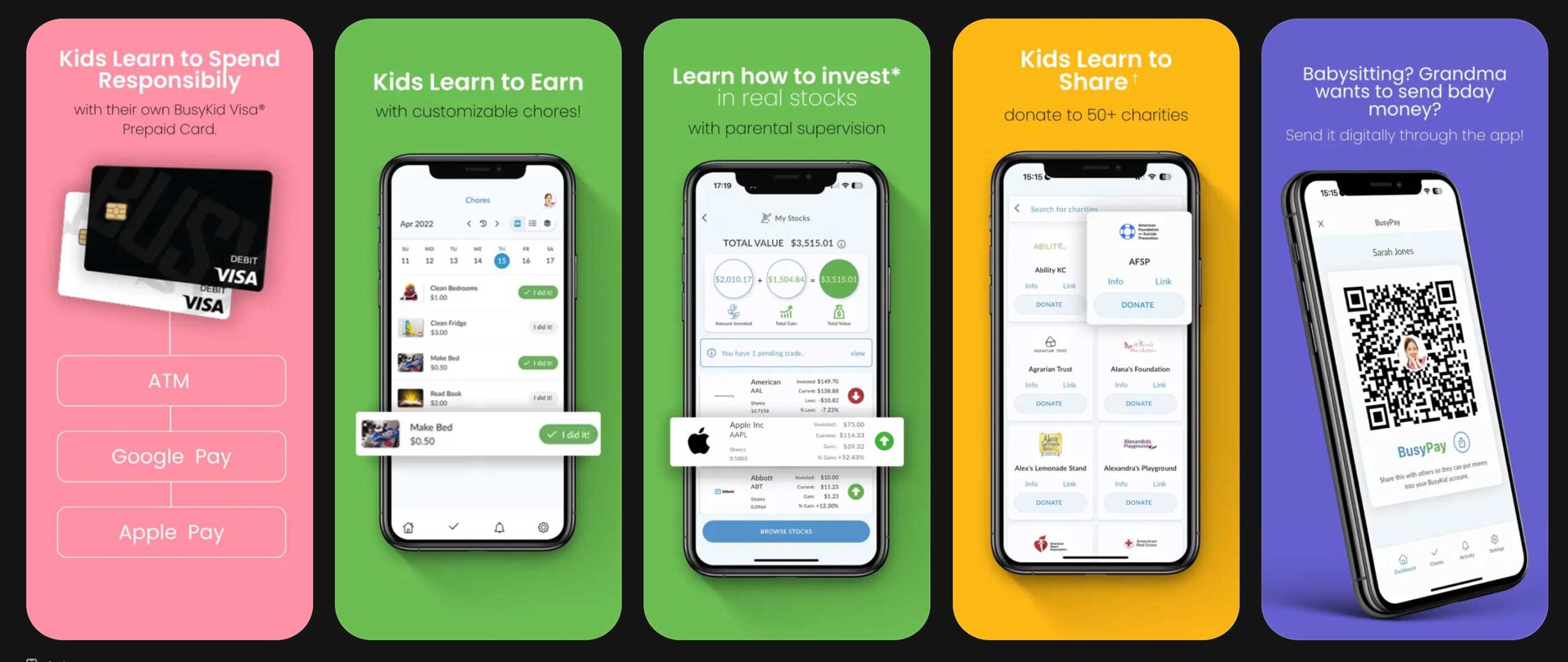
A hands-on money app and debit card that helps kids learn how to earn, save, spend, and even invest using real money.
| What I Liked | What I Didn’t Like |
|---|---|
| Kids can save, spend, and invest | Monthly subscription required |
| Excellent chore and allowance system | Younger kids may need more parent guidance |
| Introduces investing in a simple way | Interface isn’t quite as modern as some competitors |
| Encourages financial responsibility | |
| Easy for parents to manage |
Why I Recommend It
BusyKid goes beyond a typical debit card by teaching kids what to do with the money they earn. Parents can assign chores, pay allowance, and encourage children to divide their earnings between spending, saving, investing, or even giving to charity.
I really like that it introduces investing in a simple, age-appropriate way. It’s a great option for parents who want to build healthy money habits early and help their kids understand that money isn’t just for spending.
Price: Paid monthly subscription.
So next time you’re in the mood for some uplifting music, consider turning on one of these songs and letting the love flow.
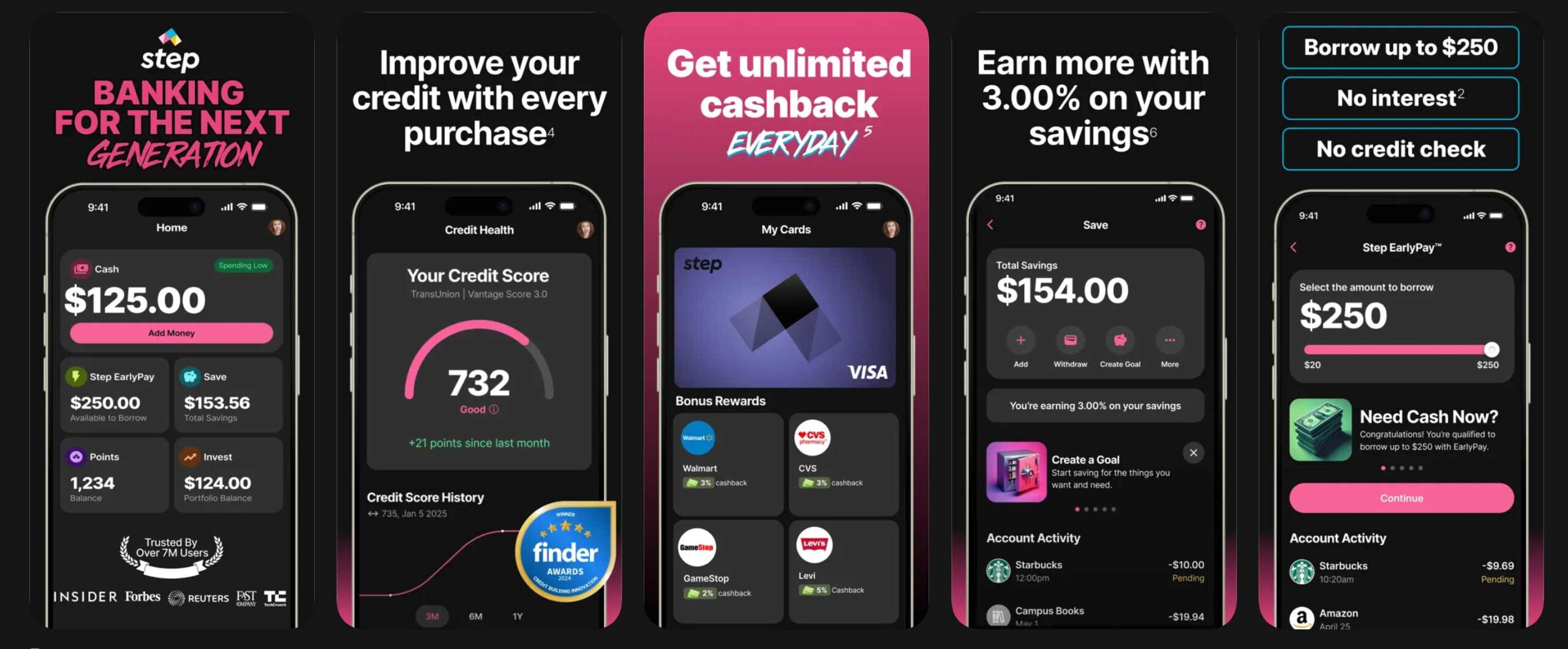
3. Step
⭐⭐⭐⭐⭐ Best for Teens
A modern banking app and debit card that helps teens manage their own money while giving parents peace of mind.
| What I Liked | What I Didn’t Like |
|---|---|
| No monthly fees | Fewer parental controls than some competitors |
| Easy-to-use mobile app | No chore or allowance features |
| Helps teens build financial independence | Better suited for older kids and teens |
| Direct deposit available | |
| Cash-back rewards with select merchants |
Why I Recommend It
If your teenager is ready for more independence, Step is one of the best options available.
Unlike many kids’ debit cards, Step is designed to feel more like a real bank account while still offering features that help teens learn to manage money responsibly. It’s a great choice for teens earning money from a part-time job, babysitting, or other side hustles, and they can use direct deposit to manage their income.
I also like that there are no monthly fees, making it an affordable option for families looking to help teens build smart money habits before adulthood.
Price: Free.
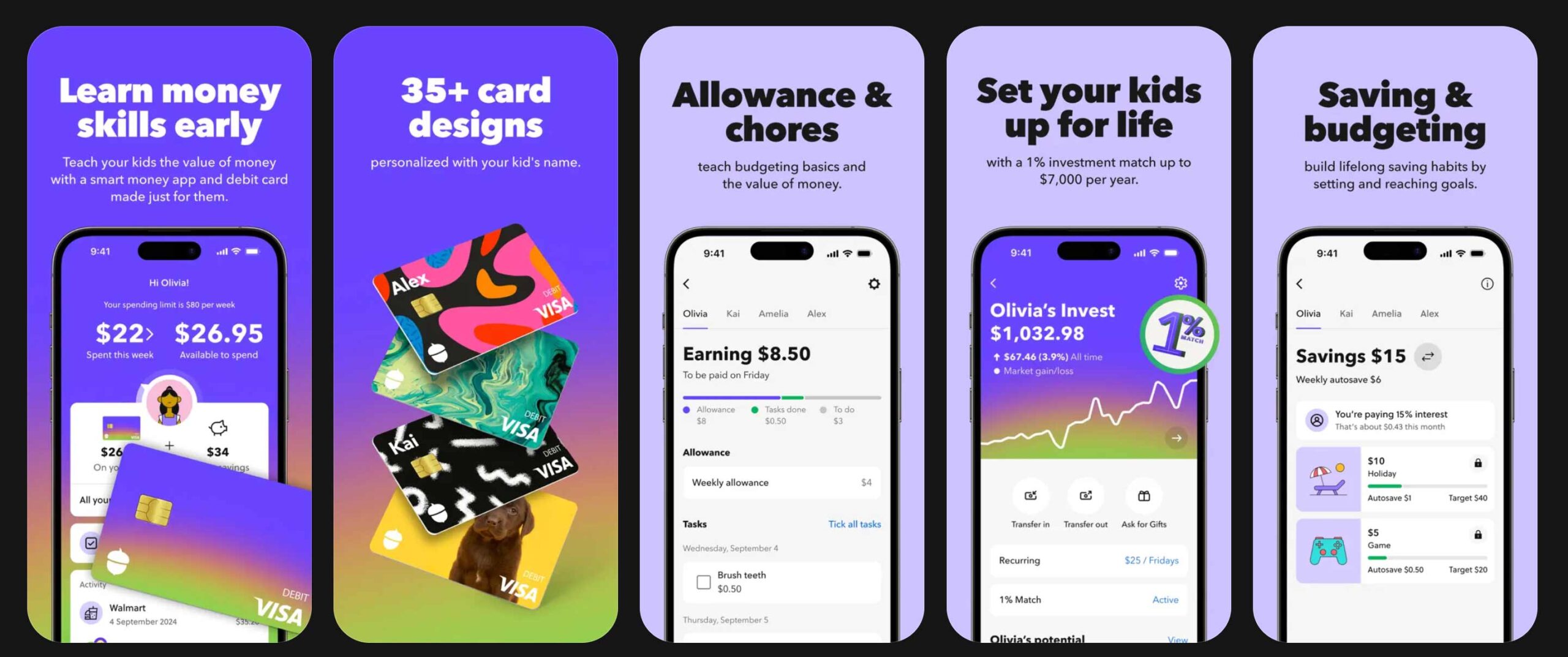
4. Acorns Early
⭐⭐⭐⭐⭐ Best for Long-Term Investing
A family investing app that helps parents start building wealth for their children while teaching valuable money lessons along the way.
| What I Liked | What I Didn’t Like |
|---|---|
| Focuses on long-term investing | Not designed for everyday spending |
| Easy way to build savings over time | Doesn’t include chore tracking |
| Parent-friendly investment tools | Better for investing than budgeting |
| Encourages wealth-building habits | Monthly subscription required |
| Great companion to a debit card |
Why I Recommend It
If your goal is to teach your child that money can grow over time, Acorns Early is a fantastic option.
Rather than focusing on everyday spending, it helps parents invest for their children’s future while introducing the basics of long-term investing. I like that it encourages conversations about saving, compound growth, and building wealth—lessons that many of us wish we’d learned earlier.
While it isn’t a replacement for a traditional kids’ debit card, it’s an excellent companion if you also want to help your child develop smart investing habits from a young age.
Price: Included with an Acorns Gold subscription.
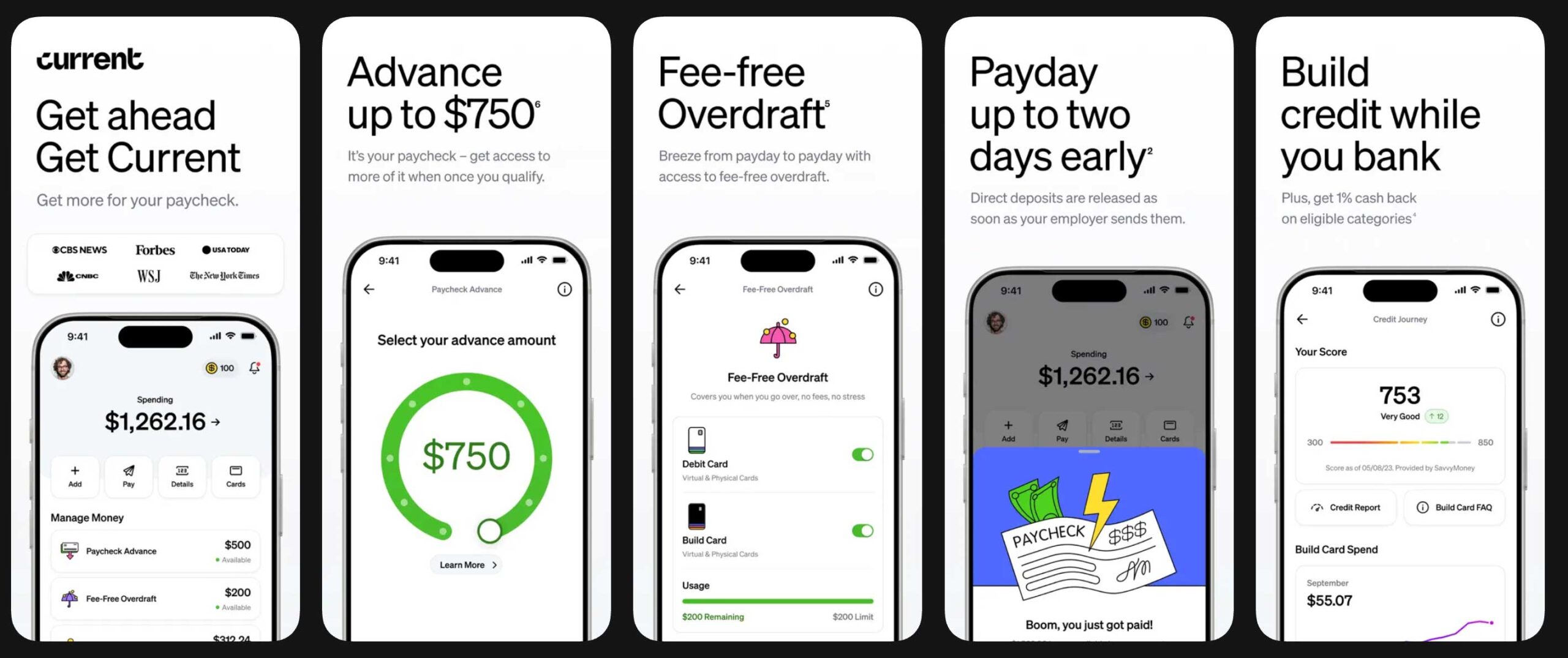
5. Current
⭐⭐⭐⭐⭐ Best for Older Teens
A modern teen banking app with a debit card that helps older kids manage money independently while giving parents helpful oversight.
| What I Liked | What I Didn’t Like |
|---|---|
| No monthly fees | Fewer educational tools than some competitors |
| Easy-to-use mobile app | No chore or allowance management |
| Spending notifications | Better suited for teens than younger kids |
| Savings features and parental oversight | |
| Great for teens with part-time jobs |
Why I Recommend It
Current is a great option for older teens who are ready to take more responsibility for managing their own money.
I like that it offers a modern banking experience with features like spending alerts, savings tools, and direct deposit, while still giving parents visibility into their teen’s account. It’s especially useful for teens earning money from a part-time job or managing their own spending.
If your goal is to help your teen build confidence before adulthood, Current offers a nice balance between independence and parental oversight.
Price: Free, with optional premium plans available.
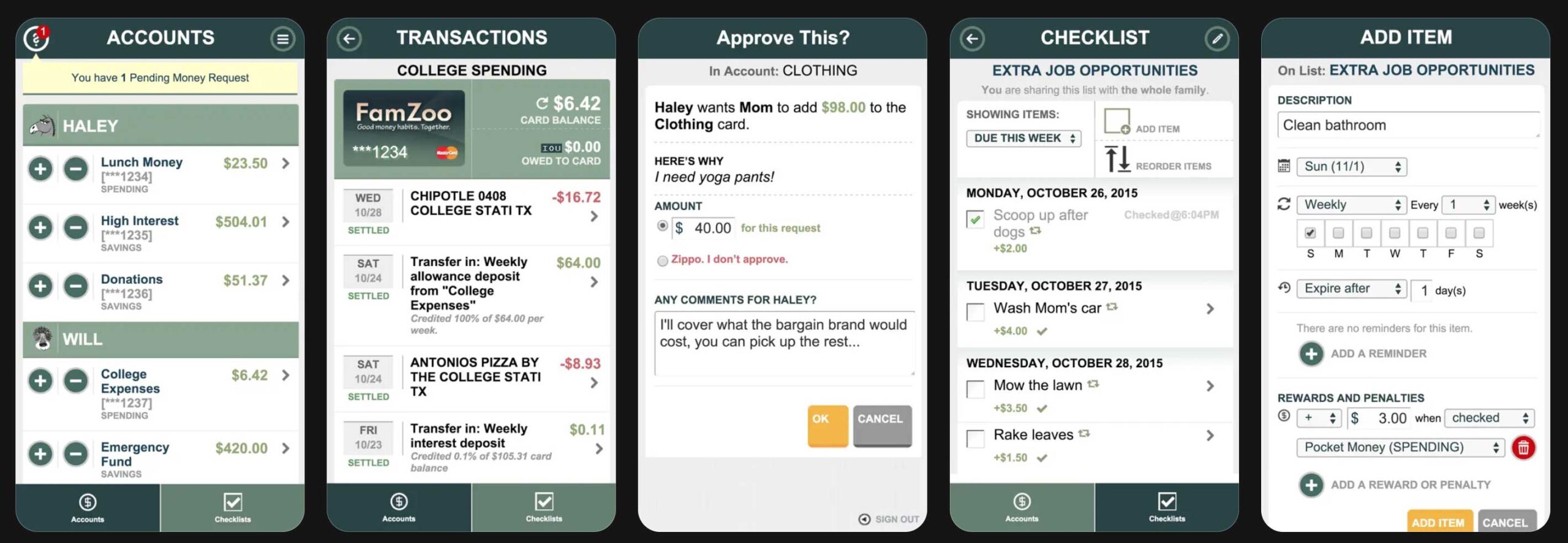
6. FamZoo
⭐⭐⭐⭐⭐ Best for Hands-On Money Lessons
A family finance app and prepaid debit card that teaches kids real-world money management through practical, everyday experiences.
| What I Liked | What I Didn’t Like |
|---|---|
| Excellent for teaching budgeting and money management | Interface isn’t as modern as some competitors |
| Flexible chore and allowance system | Monthly subscription required |
| Great for families with multiple kids | |
| Encourages saving, spending, and borrowing responsibly | |
| Highly customizable for different ages |
Why I Recommend It
If you enjoy taking a hands-on approach to teaching money skills, FamZoo is one of the most comprehensive options available.
Instead of simply giving kids a debit card, it lets parents create a personalized financial system with chores, allowances, savings goals, spending limits, and even family loans. I like that it encourages ongoing conversations about budgeting and responsible money management rather than just tracking purchases.
It’s especially well suited for families with multiple children because you can customize the experience for each child as they grow.
Price: Paid monthly or annual subscription.
7. Chase First Banking
⭐⭐⭐⭐⭐ Best Bank Account for Kids
A checking account and debit card designed for kids and teens, with easy-to-use parental controls for families who already bank with Chase.
| What I Liked | What I Didn’t Like |
|---|---|
| No monthly service fee | Requires an eligible Chase checking account for a parent |
| Easy spending controls | Fewer educational features than dedicated kids‘ money apps |
| Chore and allowance management | No investing tools |
| Real-time spending notifications | |
| Backed by a trusted national bank |
Why I Recommend It
If you already bank with Chase, Chase First Banking is one of the easiest ways to introduce your child to managing money.
Parents can monitor spending, set limits, assign chores, automate allowance, and receive notifications whenever the debit card is used. While it doesn’t offer as many educational features as apps like Greenlight or BusyKid, it’s a simple, secure option that works especially well for families who want everything in one banking app.
Price: Free for eligible Chase checking customers.
Helpful Money Tools for Kids
More Resources to Help Kids Learn About Money
Before You Go
If you found this article helpful, I’d love to hear from you. Leave a comment below to share your own experience, ask a question, or let me know what topics you’d like us to cover next. Your ideas and stories help us create better resources for parents everywhere.